From Code to Users: What Is Containers as a Service (CaaS), and How Does It Simplify Application Deployment?

From Code to Users: What Is Containers as a Service (CaaS), and How Does It Simplify Running Your Application?
A simple guide to understanding Containers as a Service and how it helps teams run and manage applications.
From “works on my machine” to an application that reaches users and runs reliably.
You wrote the code, tested the application, and everything works exactly as expected on your machine. Then comes the sentence that moves the project into a completely different phase: “Great... now we need to deploy it.”
At that point, the job is no longer only about the code. A server needs to be prepared, the runtime environment needs to be configured, versions and libraries need to match, networking and ports must be set up, and then come monitoring, updates, and additional instances as the number of users grows.
Once the application becomes part of a real product or service, the question changes from “How do I run the application?” to “How do I keep it running, update it, monitor it, and scale it without turning infrastructure management into another daily job for the development team?”
This is where containers become important. Containers as a Service (CaaS) takes the idea a step further: from simply packaging the application inside a container to running and managing containerized applications in a more organized cloud environment.
The problem starts when the application leaves your machine
Suppose you built a backend using Node.js. On your machine, you have the right Node version, the required libraries, and the configuration files are ready. You move the application to another server, and suddenly it no longer behaves the same way.
The runtime version may be different, a dependency may be missing, or an operating-system setting may not match. That is when developers hear - or say - the familiar line:
“But it works on my machine!”
The problem is not necessarily the code itself. Sometimes the issue is the environment around it. Containers help make the application environment more consistent and portable.
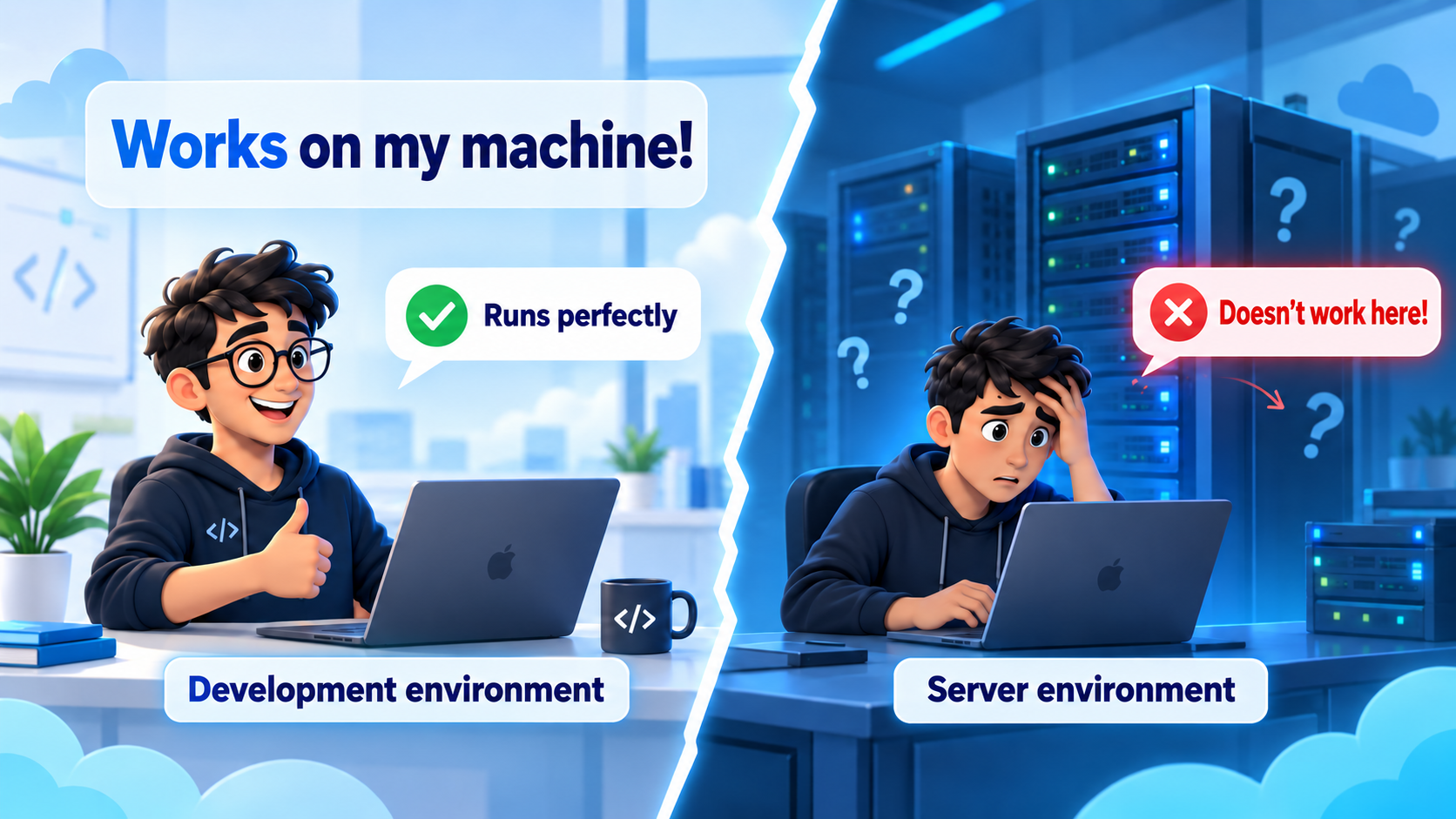
A different development and server environment can change the outcome even when the code itself has not changed.
Containers solve an important part of the problem
Instead of moving the code to every server and rebuilding its environment from scratch, you can package the application together with the files, libraries, and runtime dependencies it needs inside a Container Image.
An Image is the ready-to-use package that describes the application and what it needs to run. A Container is a running instance created from that Image. A Registry is where Images are stored so a deployment platform can retrieve and launch them.
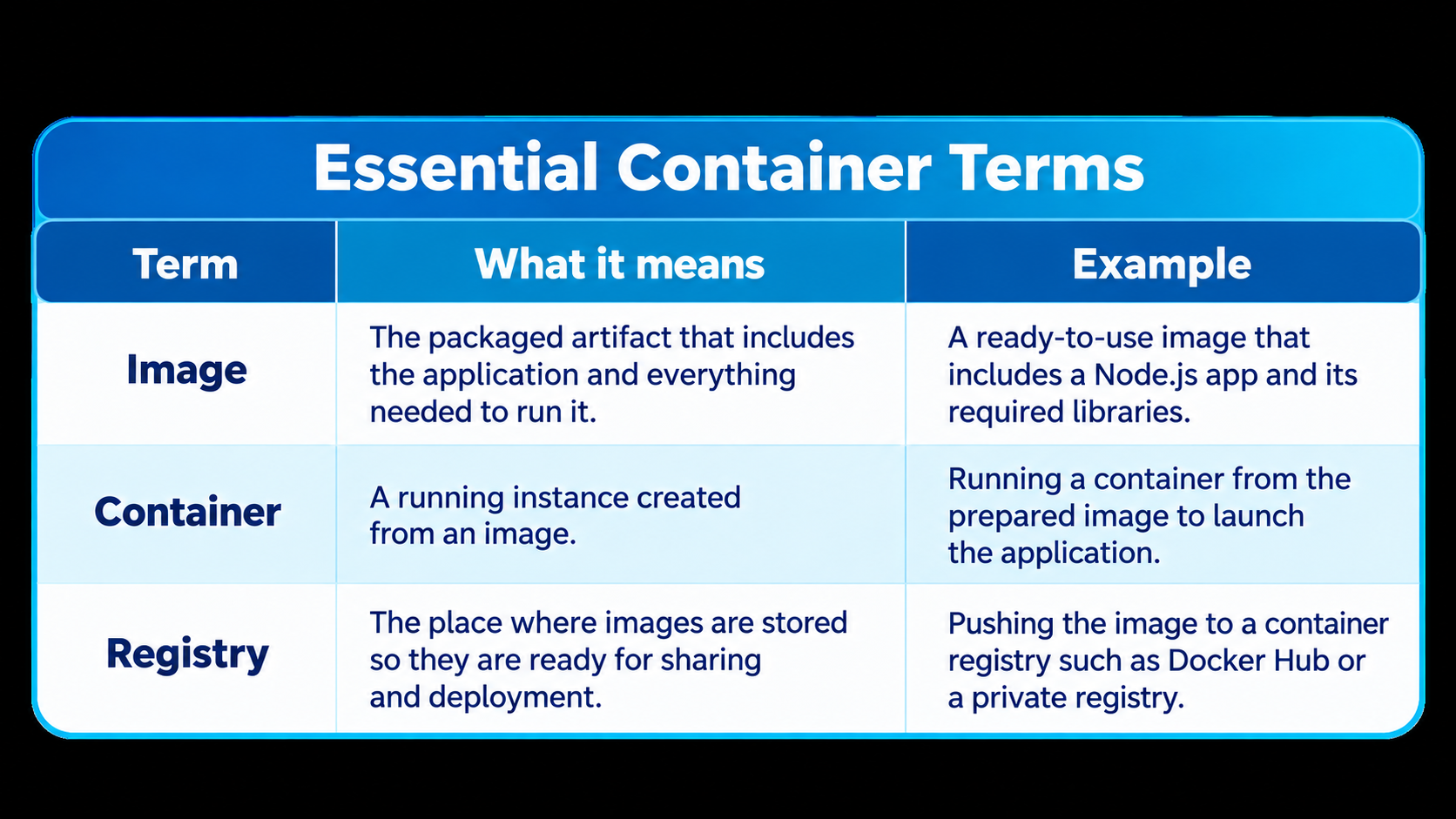
is now packaged to run in a Container, but another question remains: who manages those containers when the application gets bigger?
When one Container becomes a full environment
Running a single Container on a machine or server can be relatively simple. Now imagine an e-commerce application with a frontend, a backend API, a Worker for background tasks, and a notification service.
You may need several API instances while the Worker needs a different amount of resources. Services must communicate with one another, the application must remain available if one instance fails, and new releases need to reach production in a controlled way.
At this point, the real challenge is no longer creating a Container. It is managing the lifecycle of multiple containers efficiently.
This is where CaaS comes in
CaaS = Containers as a Service
CaaS is a cloud service model that helps developers and technical teams deploy, run, and manage containerized applications while shifting part of the infrastructure burden to the service platform.
In simple terms, the traditional model often starts with the server. With CaaS, the starting point moves closer to the application, the Container you want to run, and the resources it needs.
Instead of asking: “Which server do I need, and how do I configure it?”
The question becomes: “Which Image do I want to run, and what does the application need?”
The application journey with CaaS: from code to users
Let us follow the full journey, from the first line of code until the application becomes available to users:
1. Write the application: Build the backend, API, or Worker in the usual way.
2. Build a Container Image: Create an Image that includes the application and its runtime requirements.
3. Push the Image to a Registry: Store the deployment-ready version in a container registry.
4. Define runtime requirements: Set the resources, networking configuration, and number of instances supported by the platform.
5. Run the application: The platform pulls the Image and launches one or more Containers in the cloud environment.
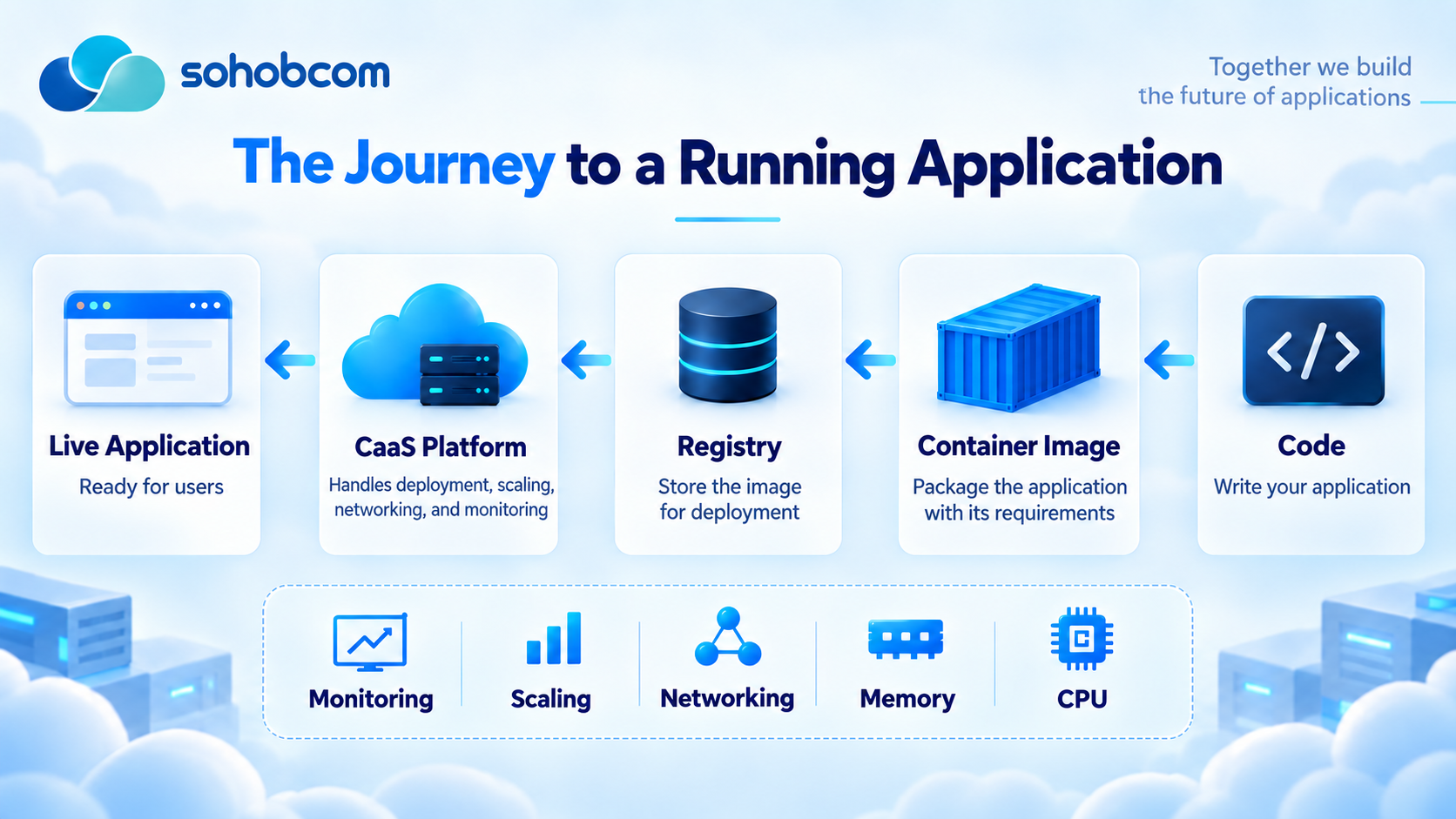
A simplified journey from code to a running application through a CaaS platform.
What happens when demand increases?
Imagine a delivery application that starts with one backend API instance. After a successful marketing campaign, the number of users rises quickly while the rest of the application does not need the same increase in capacity.
Instead of increasing the resources of the entire environment, the platform - when both the platform and application architecture support it - can run additional API instances and distribute requests across them. Scaling may be manual or automatic depending on the platform and its configuration.
Instead of “We need a bigger server,” the question becomes: “Which part of the application needs more capacity?”
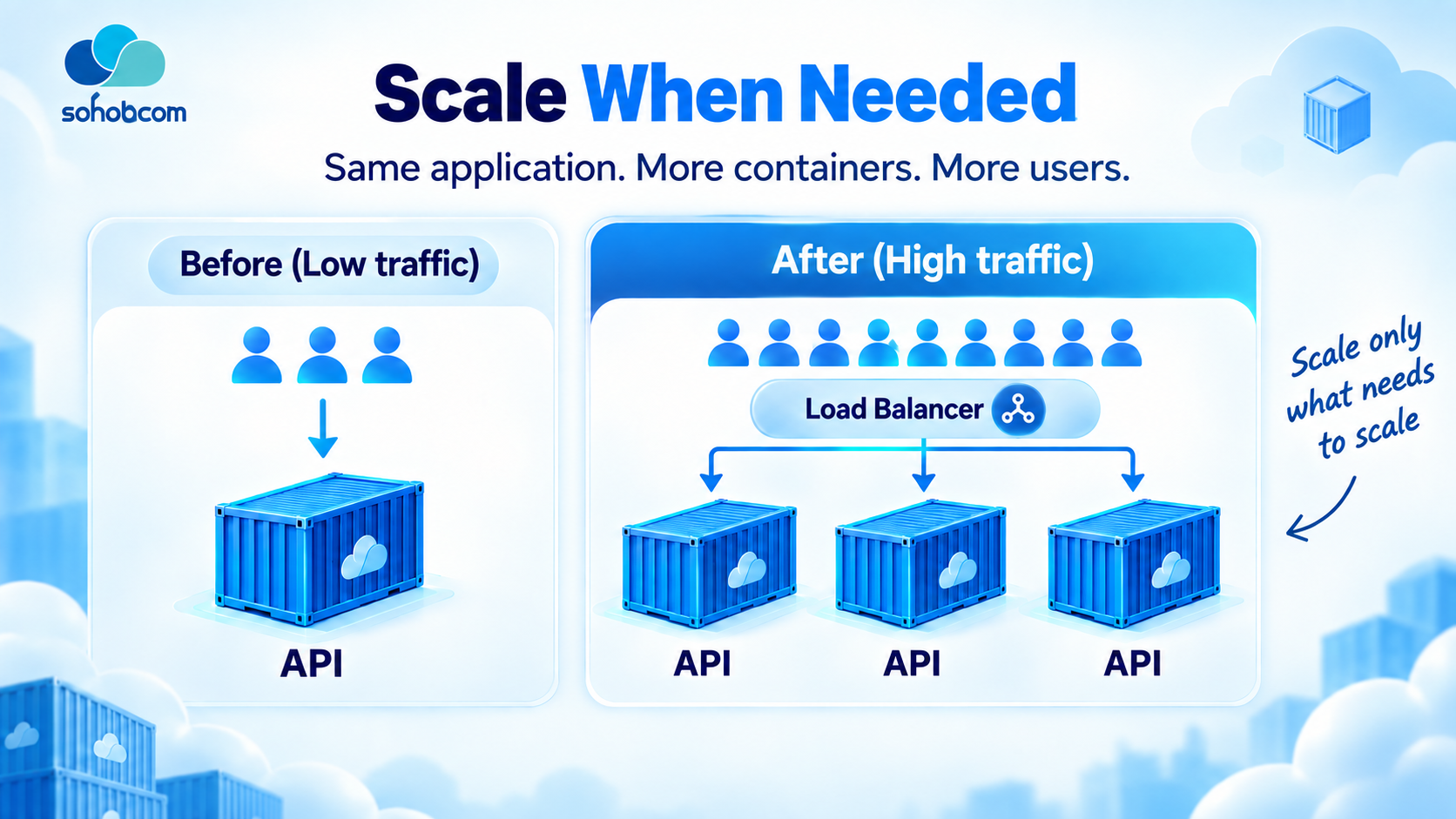
Scaling can focus on the service that needs more capacity instead of growing every part of the application together.
What changes in day-to-day operations?
The value of CaaS does not appear only when a Container runs for the first time. It becomes clearer throughout the application lifecycle:
· Service continuity: the platform may support health checks, restarts, or rescheduling depending on its configuration.
· Higher traffic: additional instances can be launched and load distributed when the platform and application support it.
· Resource allocation: CPU and RAM can be assigned to each workload according to its needs.
· Release deployment: Image builds and deployments can be integrated into a more consistent CI/CD pipeline.
· Monitoring and troubleshooting: Logs and Monitoring help teams understand what is happening inside individual services.
The value is not simply that “Docker runs.” The value is that running and managing the application becomes more organized and repeatable.
CaaS or VPS? The difference is the level of responsibility
The comparison between CaaS and VPS does not start with “Which one is better?” It starts with “How much of the infrastructure do you want to manage yourself?”
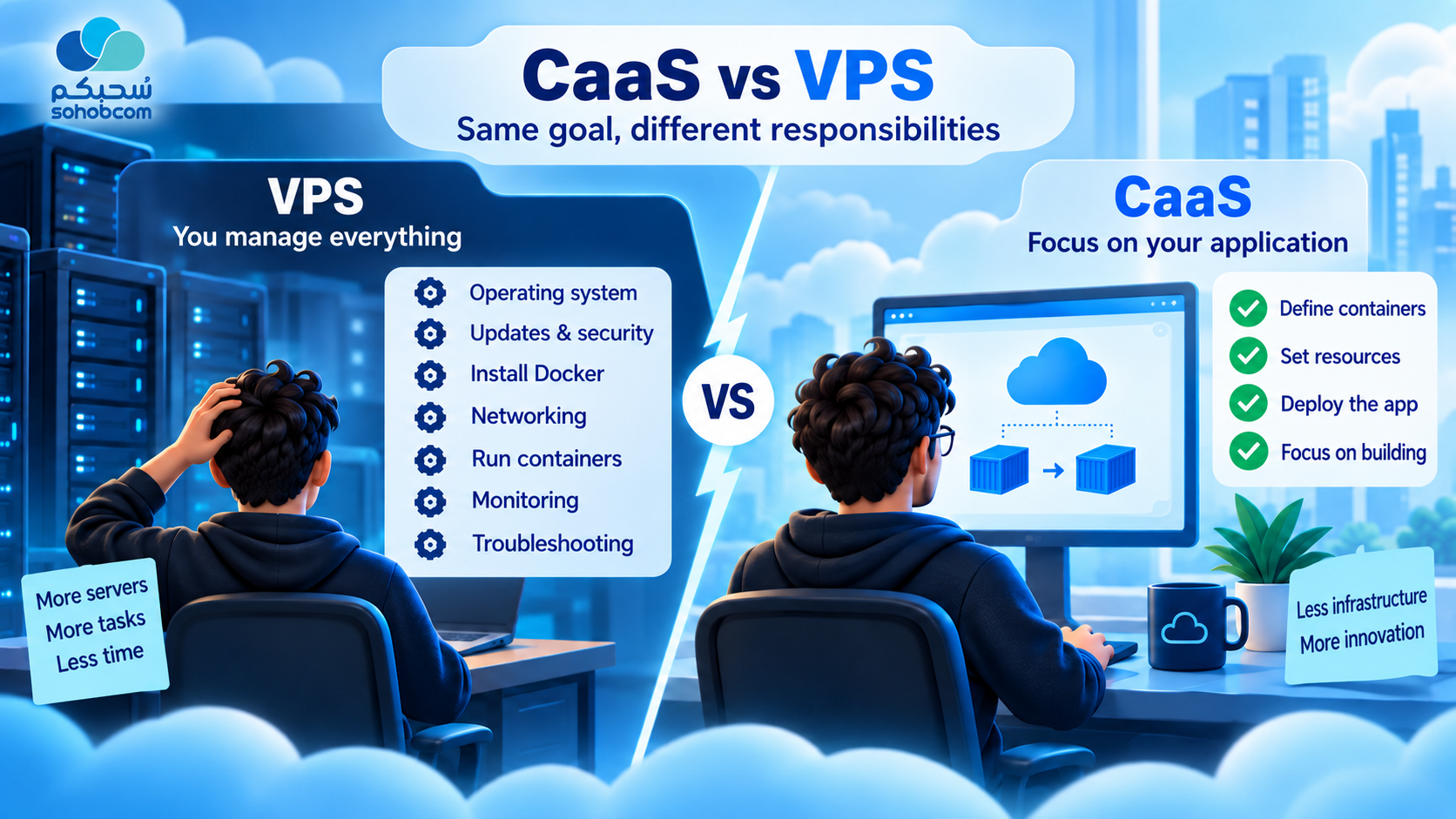
With a VPS, the team manages more layers directly. CaaS shifts more attention toward the application and its containers.
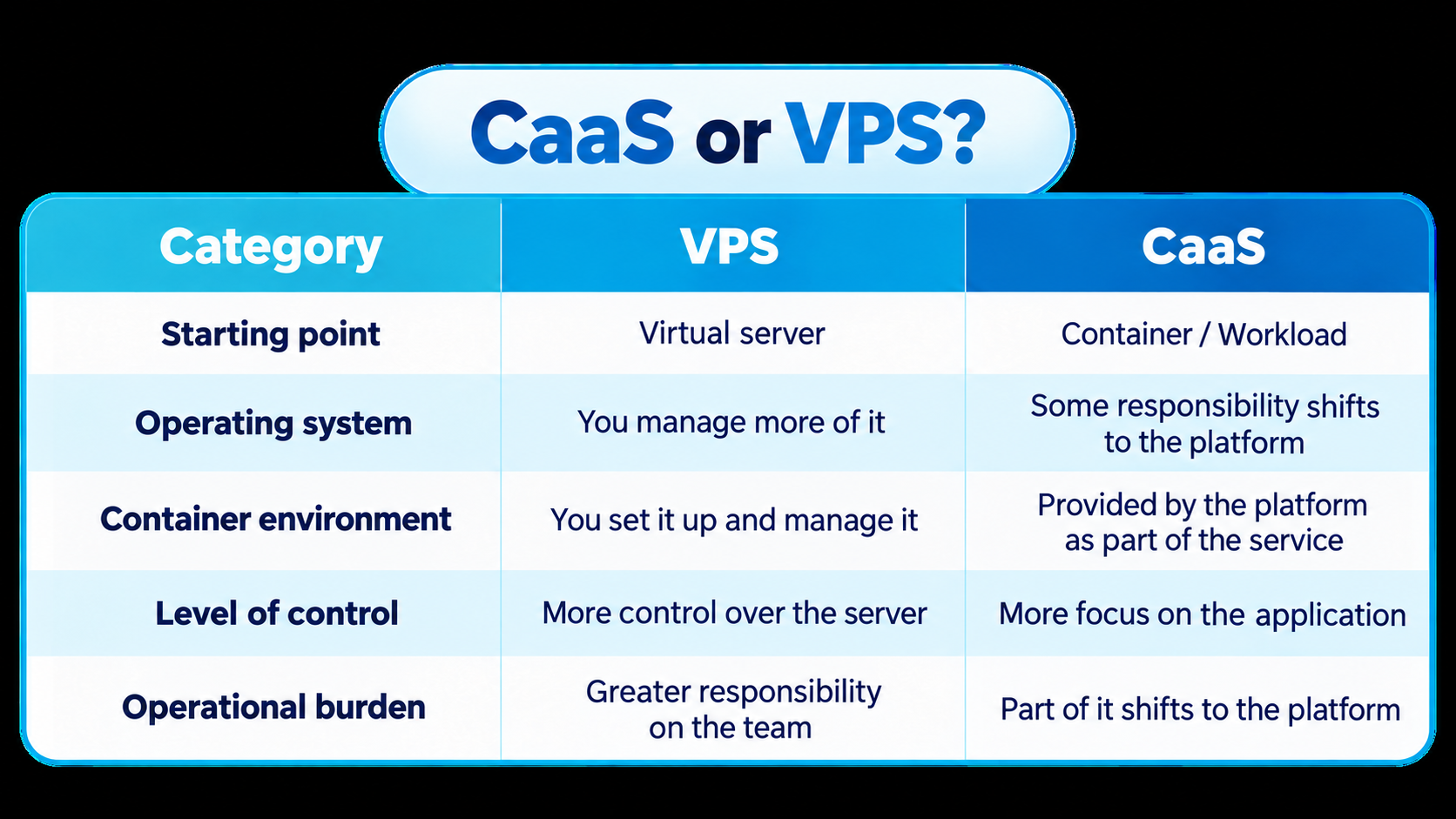
There is no single boundary that applies to every product. The exact split between what the platform manages and what remains your responsibility varies from one provider to another.
Docker, Kubernetes, and CaaS: how do they work together?
These are three related concepts, but they are not the same thing. Docker helps build and run containers, Kubernetes orchestrates and manages containerized workloads at a broader scale, while CaaS is a service model that provides container deployment and management as a cloud service.
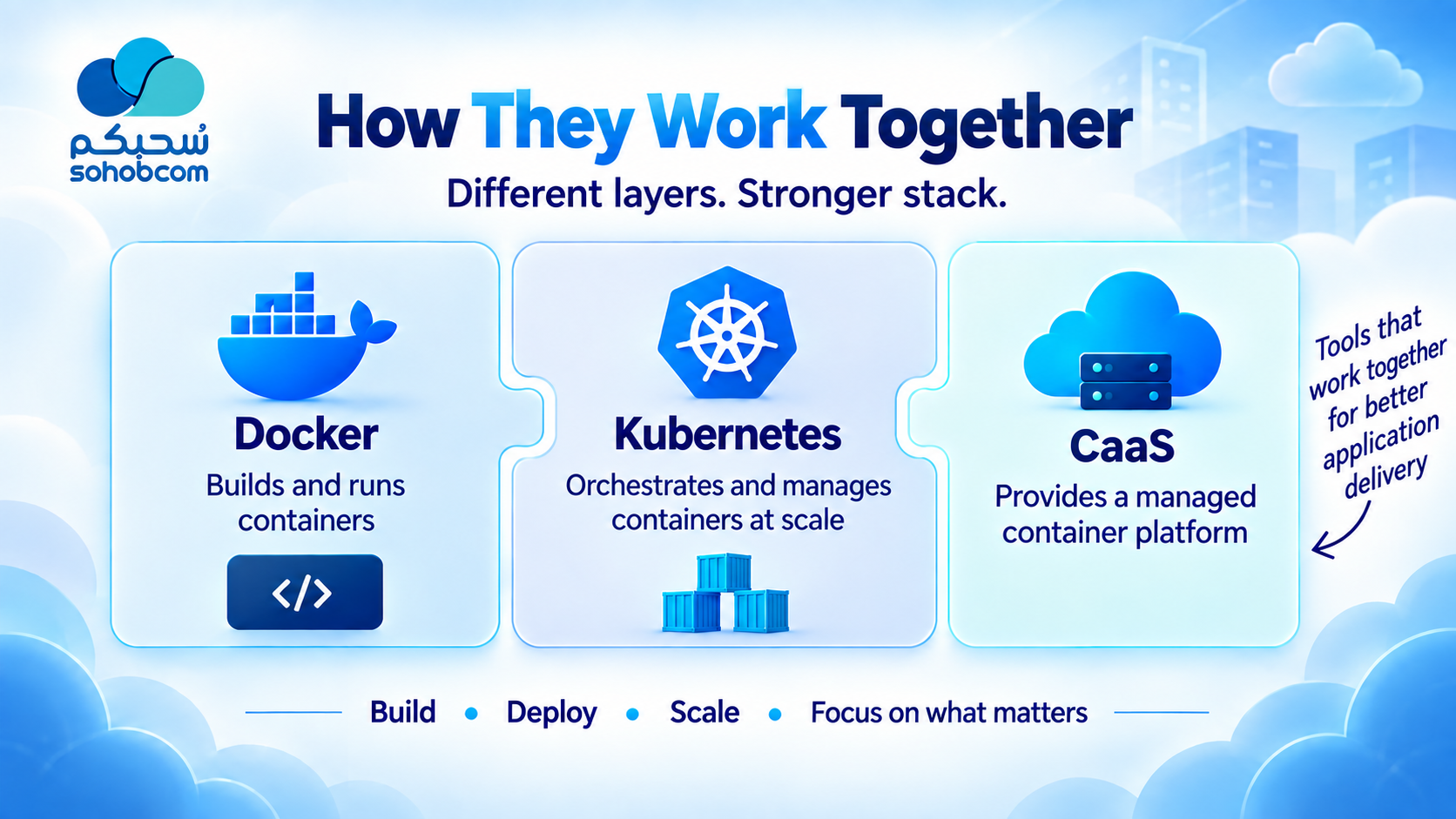
The tools can complement one another at different layers: building the container, orchestrating workloads, and operating containers as a managed cloud service.
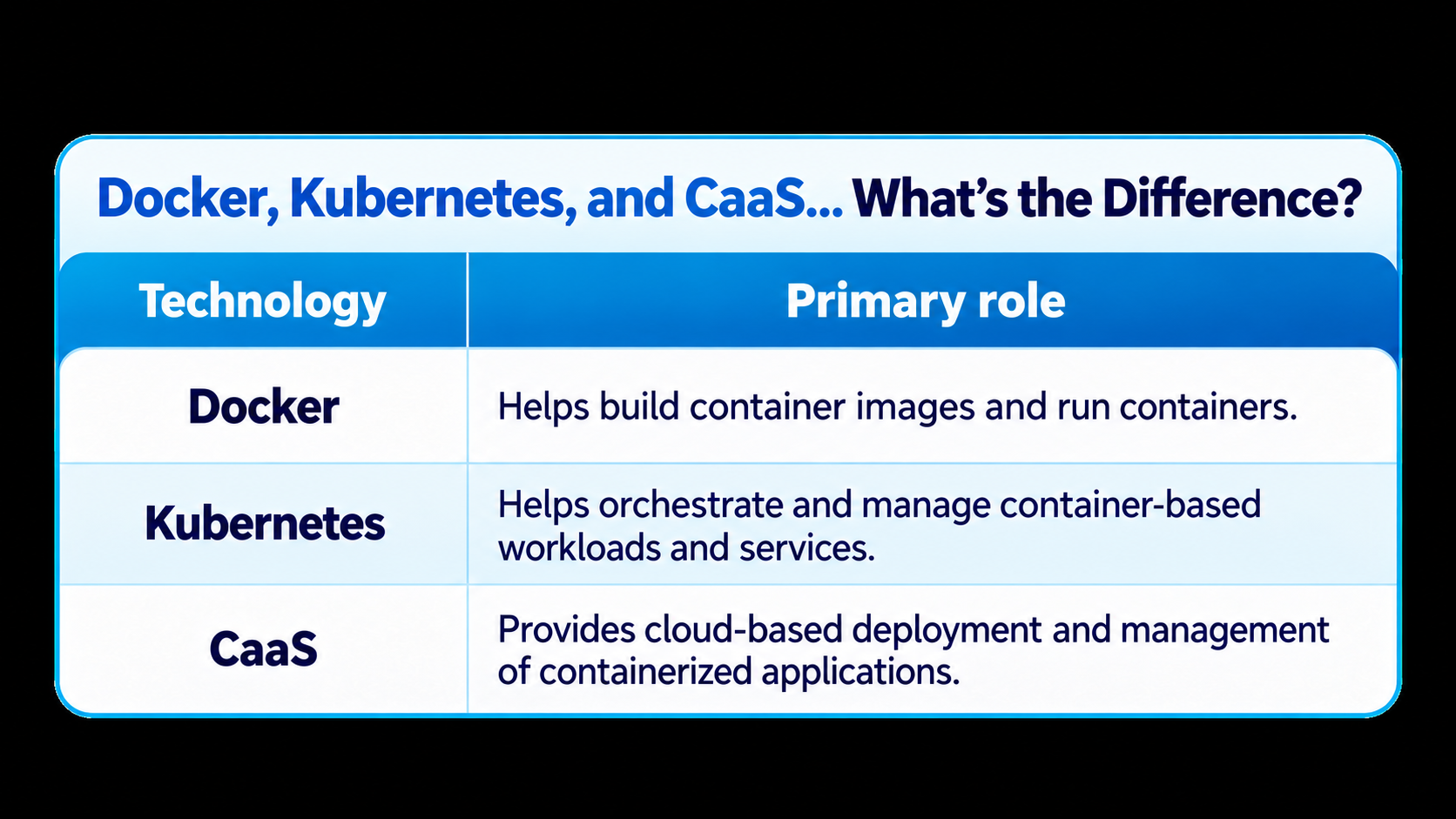
A CaaS platform may use Kubernetes behind the scenes, but CaaS is not necessarily another name for Kubernetes.
When does CaaS make sense?
CaaS becomes more valuable when your application is already containerized - or can reasonably be containerized - and managing those containers starts consuming time you would rather invest in product development instead of server administration.
· Backend APIs and web applications
· Microservices
· Workers and background jobs
· Development and testing environments
· Selected data-processing and AI workloads
· Teams that want deployment connected to CI/CD pipelines
And when might you not need it?
Not every project needs CaaS. If you run a very simple website or a small application with limited operational requirements, traditional hosting or a small VPS may be a simpler option. On the other hand, if you need very deep control over the operating system, networking, or other infrastructure details, another model may suit the project better.
Containers and CaaS do not automatically solve application problems. The platform will not fix weak code, poor database design, application vulnerabilities, or Secrets stored in an unsafe way.
The platform can reduce part of the operational burden, but it does not remove your engineering responsibilities.
How do you know whether your problem needs CaaS?
Ask your team these questions:
· Does preparing a new environment repeatedly take too much time?
· Does every deployment depend on many manual steps?
· Do you have several containerized services that need ongoing operation and management?
· Do specific services need additional instances when traffic increases?
· Do you want developers to spend less time managing infrastructure?
If these problems keep recurring, CaaS may be worth evaluating. If you need full control over every server detail, a VPS or another infrastructure-focused model may be a better fit.
The real value: shortening the distance between code and users
Development time is limited. If every release requires hours of preparing servers, aligning environments, and repeating manual steps, those are hours not being spent improving the product.
This is where the value of CaaS becomes clearer: reducing the distance between “the application is ready” and “the application is running.” Infrastructure does not disappear, and neither do security, engineering, and monitoring responsibilities. But part of the operational detail shifts from the application team to the platform.
From “works on my machine” to “works for users”
Developers do not build applications just to run on their own machines. The goal is to reach users with an application that can be updated, monitored, and scaled without turning infrastructure into another project inside the project.
Containers help make applications and their runtime environments more portable and consistent. CaaS takes that idea one step further: do not stop at packaging the application inside a Container; make running and managing that Container part of the cloud environment you rely on.
You build the application. The platform helps you run and manage it.
Ultimately, the value of CaaS is not the number of Containers you can launch. It is whether the journey from code to users becomes shorter, clearer, and easier to manage.
Technical resources for further reading
IBM Think - Containers as a Service: For a deeper look at the CaaS model and where it fits among cloud service models.
Red Hat - What is CaaS?: For understanding the role of CaaS in running and managing containerized applications.
Docker Docs - Container Images: For more detail on the difference between Images and Containers and how container images are built.
Kubernetes Documentation - Concepts & Autoscaling: For understanding workload management and manual or automatic scaling.
Rate this article
Be the first to rate this article
Comments & Discussion0
Related articles
How BEaaS Is Tranformaing Application Development?  Cloud Computing
How BEaaS Is Tranformaing Application Development?
Discover how Backend as a Service enables developers to leverage ready-to-use backend services and move from idea to application faster.
Marwa Al-Maqtari