From Live Data to Recovery: What Really Happens Inside Backup as a Service?
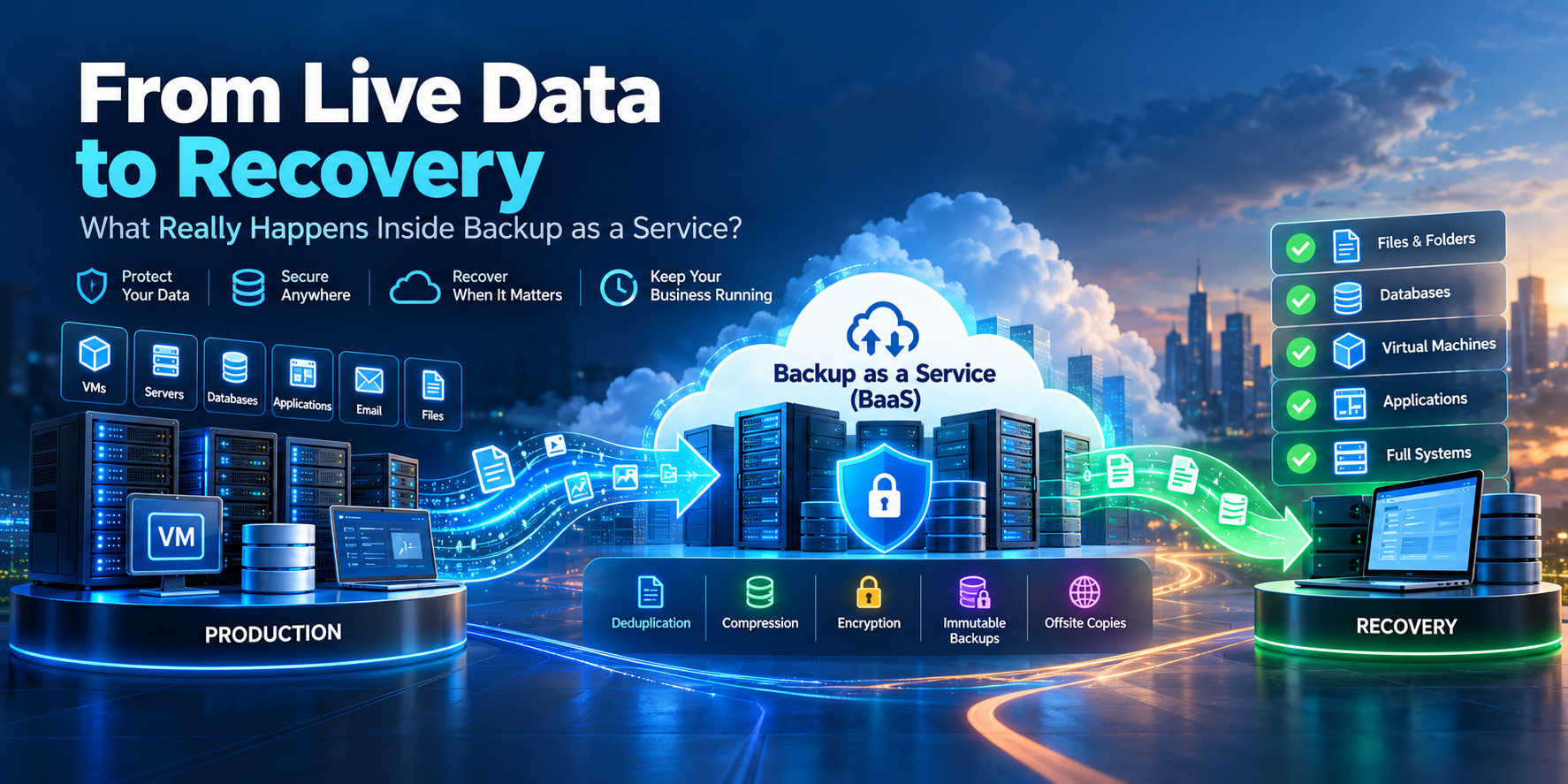
In modern business environments, data is no longer just a collection of files stored on a server or storage device; it has become a fundamental part of the organization’s operations. Databases, financial systems, email, applications, and Virtual Machines all depend on data that changes continuously and grows day after day. As this volume increases, protecting it becomes far more complex than simply creating a backup at the end of the day.
For many years, organizations relied on traditional in-house backup solutions: Backup Servers, additional storage disks, tapes moved to offsite locations, and technical teams responsible for monitoring capacity, failed backup jobs, maintenance, and periodic hardware replacement. But as the environment expands, cost and complexity rise with it. What may be suitable for protecting a few servers can become a significant burden when the environment grows to tens or hundreds of systems and terabytes of data that require continuous protection.
This is where Backup as a Service (BaaS) emerged as a different approach to data protection. Instead of requiring the organization to build, operate, and maintain the entire backup infrastructure on its own, these capabilities are delivered as a service by a specialized provider.
The real value of BaaS, however, is not limited to moving backups to the Cloud. The service provider can also take responsibility for large parts of the backup lifecycle, including infrastructure management, capacity expansion, monitoring, maintenance, retention, and preparing data for recovery. Instead of keeping the IT team occupied with managing Storage, rotating Backup Media, or maintaining aging infrastructure, BaaS allows the team to focus on the systems that directly support the business.
Organizations therefore turn to BaaS especially when traditional backup systems begin to reach their limits: data volumes continue to grow, backup operations take longer, on-premises infrastructure requires expensive expansion, and the need for an Offsite copy becomes more important in case the primary site is affected by an outage, disaster, or cyberattack.
And this leads to the most important question:
What actually happens to your data from the moment it leaves the Production environment until it becomes a secure, recoverable Recovery Point?
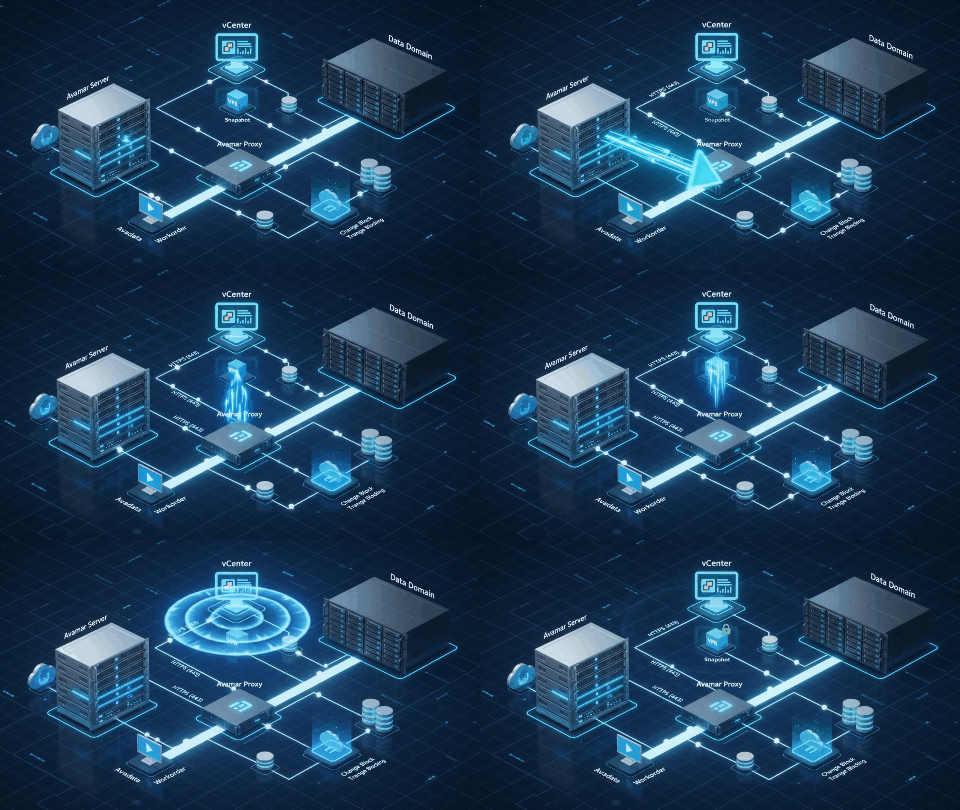
And how does that copy later transform, on the day of an incident, from data stored in the Cloud into a Server, Database, or Application that is working again?
A Virtual Machine is not simply copied as one file, a database is not captured randomly, and a Cloud Provider does not just take the data and drop it into a massive Storage pool. Before live Production data becomes a Recovery Point that can be trusted, it goes through a precise chain of processes: identifying what must be protected, stabilizing the data state, detecting what has changed, transferring the data, reducing duplication, compressing it, encrypting it, creating Metadata, applying Retention, and then protecting the backup itself from human error and cyber threats.
Most importantly, the journey does not end when the data reaches the Backup Repository.
When a failure occurs, the entire process must run in reverse: locate the appropriate copy, verify its integrity, rebuild the data, restore it, and then confirm that the service itself is back online.
The First Journey: From Production to a Trusted Recovery Point#
When a Backup job starts, the data you are trying to protect is not standing still.
Users are editing files. Databases are receiving Transactions. Applications are writing to disks. Virtual Machines are performing thousands of read and write operations. In other words, we are trying to capture something that is constantly moving.
This creates the real challenge:
How do you create a correct copy of a system that never stops changing?
Before the First Byte: What Are We Actually Protecting?#
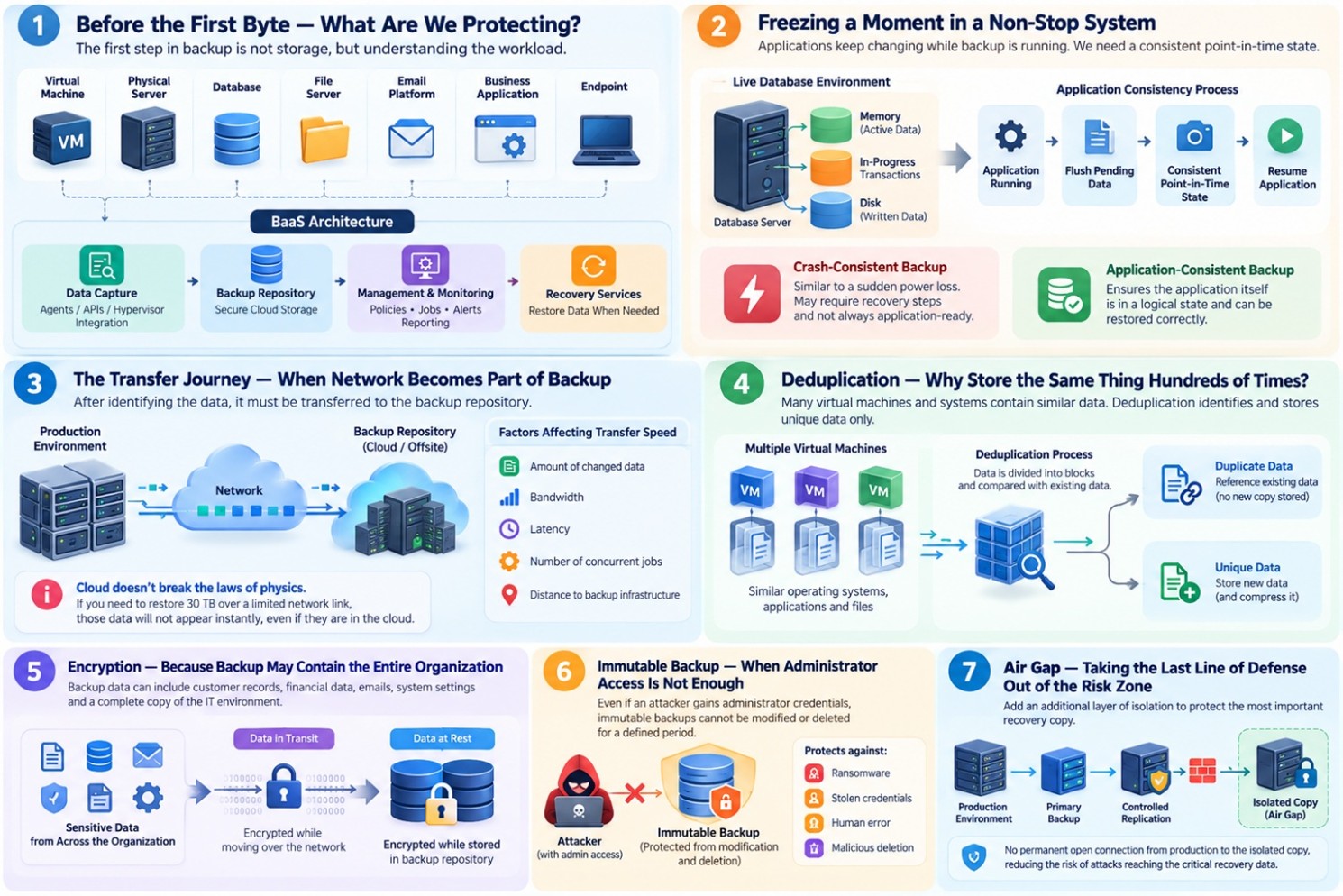
The first stage of Backup is not about storage; it is about identifying the Workload. The source may be a Virtual Machine, Physical Server, Database, File Server, Email Platform, Business Application, or Endpoint. The differences between them are not merely cosmetic.
This is where the basic BaaS architecture takes shape: a data-capture mechanism, a Repository that stores the backup copies, a platform for policy management and monitoring, and Recovery Services that return the data when the organization needs it.
Freezing a Moment Inside a System That Never Stops#
Suppose we have an active Database. At the moment Backup begins, some data may already be written to Disk, while other data still exists in Memory, and some Transactions may not yet be complete.
If the platform simply reads the files at that exact moment, it may produce a copy that physically exists but is not necessarily logically consistent.
This introduces the concept of:
Application Consistency
The idea is to reach a reliable point in time before taking the backup. The application may be forced to flush pending data, complete or briefly pause certain write operations, create a stable point-in-time state, and then resume normal operation.
The process can be simplified as:
Application Running → Flush Pending Data → Consistent Point-in-Time State → Resume
This highlights the difference between:
Crash-Consistent Backup, which is roughly similar to the state of a system after an unexpected power loss,
and Application-Consistent Backup, which attempts to ensure that the application itself is in a state that can be restored correctly.
For this reason, the question How is Application Consistency handled? is an important one when evaluating any Backup service, especially for databases and critical applications.
When the Network Becomes Part of the Backup#
After identifying the data, it must be transferred to the Backup Repository.
At this point, Backup becomes as much a Network challenge as it is a Storage challenge.
Performance is affected by:
The amount of changed data.
Bandwidth.
Latency.
The number of Jobs running at the same time.
The distance between the source and the Backup Infrastructure.
This becomes even more important with Cloud Backup and Offsite Backup.
Reducing the amount of data that must be transmitted through Incremental Backup, Deduplication, and Compression can help significantly. Recovery speed also depends on Bandwidth, data volume, Storage Performance, and the recovery method itself.
Deduplication: Why Store the Same Thing Hundreds of Times?#
Imagine an environment with hundreds of Virtual Machines. Many of them contain similar operating-system components, applications, and files. If everything is stored exactly as it arrives, the same data will be stored repeatedly. This is where Deduplication comes in.
The platform identifies data it has seen before.
If the data already exists, there is no need to store a second copy; a Reference can point to the existing data. New data, on the other hand, is stored.
The idea is simple:
Duplicate Data → Reference Existing Data
Unique Data → Store
The platform can then apply Compression to the unique data to reduce its size even further.
As a result, the quality of a Backup platform is not measured only by its raw capacity, but also by how efficiently that capacity is used. Deduplication, Long-Term Retention, Instant Restore, Monitoring, and Search are all key capabilities in integrated data-protection platforms.
From Protecting Data to Protecting the Backup Itself: Encryption#
A backup may contain customer databases, financial files, email, system configurations, and even a near-complete image of the organization’s technical environment.
That means two states must be protected:
Data in Transit while data is moving across the network.
Data at Rest while data is stored inside Backup Storage.
Immutable Backup: When Administrator Privileges Are Not Enough#
If an attacker obtains Administrator Credentials, a traditional Backup may become deletable just like any other data.
This is where Immutability comes in.
Immutability protects a Recovery Point from modification or deletion for a defined period according to the system’s policies.
This layer is designed to reduce the impact of Ransomware, stolen accounts, human error, and intentional deletion.
The key idea is that the Recovery Copy must remain trustworthy even when the Production Environment or some administrative accounts can no longer be trusted.
Air Gap: Taking the Last Line of Defense Out of the Same Risk Zone#
You can go one step further.
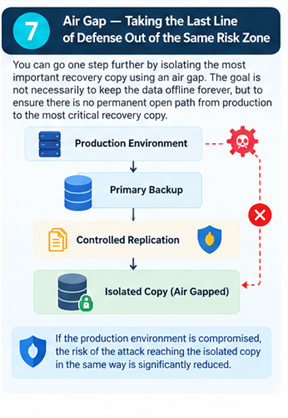
Instead of leaving the critical recovery copy continuously reachable over the same network, an additional isolation layer can be introduced using an Air Gap.
The goal is not necessarily to keep the data permanently offline; rather, it is to avoid having a permanently open path from Production to the most important Recovery Copy.
The path may look like this:
Production → Primary Backup → Controlled Replication → Isolated Copy
If Production is compromised, the likelihood of the attack reaching the isolated copy through the same path is reduced.
Not Every Recovery Point Is Equal#
It is easy to assume that the latest Backup is always the best one.
But what if Corruption started a week ago?
What if a file was deleted 20 days ago and nobody noticed?
What if an attacker entered the environment several days before encryption began?
In those cases, the latest Backup may already contain the same problem.
This is why we need a Retention Policy.
The platform may keep daily points for the recent period, weekly points for longer periods, and monthly or Long-Term Copies for historical or regulatory requirements.
The real question is not:
How many Backups do we keep?
Instead, it is:
How far back in time do we want to preserve the ability to return?
RPO and RTO: When Backup Becomes a Business Decision
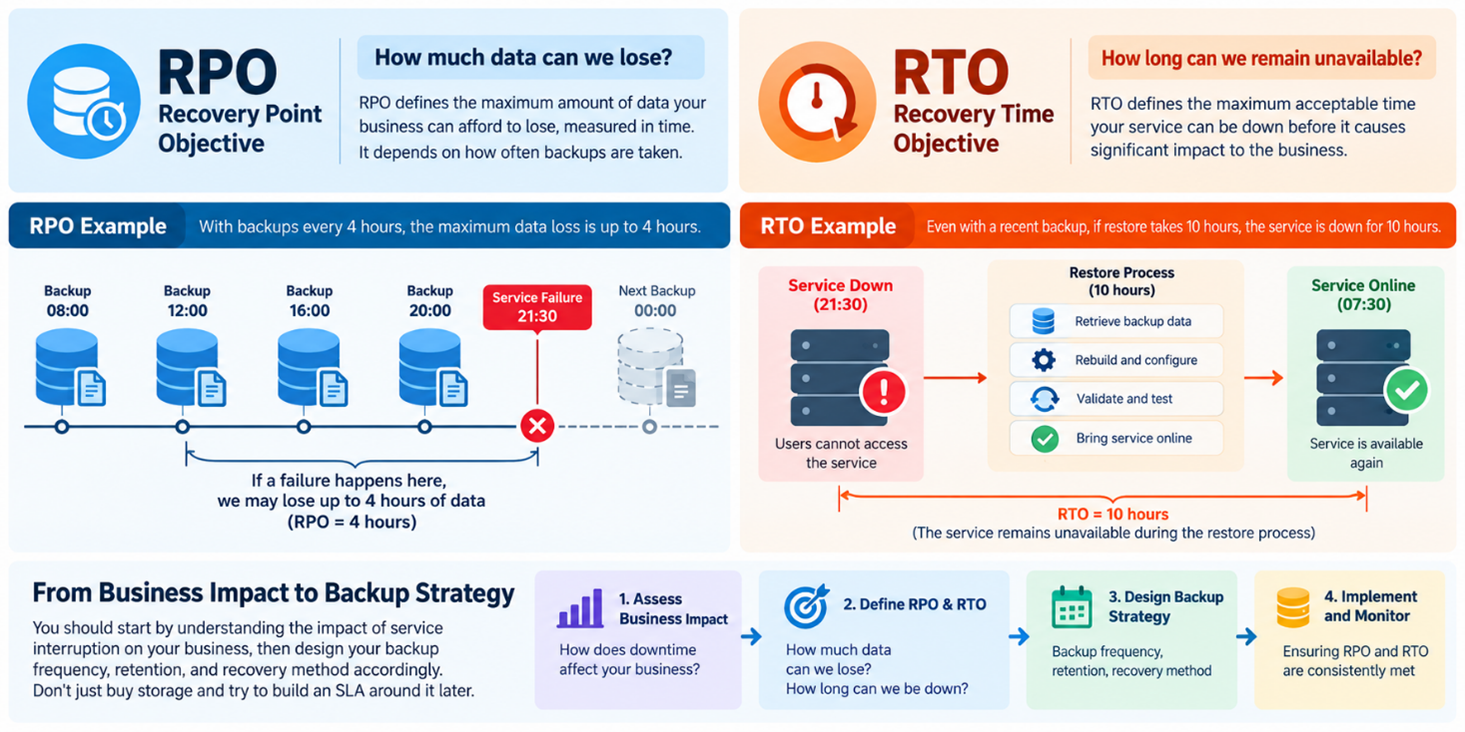
Two numbers often determine the value of a Backup strategy more than the size of the Storage itself.
RPO measures how much data can be lost, while RTO measures the acceptable time before the service must be restored.
Recovery Point Objective — RPO#
It answers the question:
How much data can we lose?
If Backup runs every four hours, the potential data loss may be close to four hours of data.
That may be acceptable for a standard File Server.
For a financial transaction system, however, it may not be acceptable.
Recovery Time Objective — RTO#
It answers the other question:
How long can the service remain unavailable?
You may have a Recovery Point that is only ten minutes old, but if Restore takes ten hours, the RTO is still poor.
In other words:
RPO = How much data can we lose?
RTO = How long can we remain unavailable?
This is why an organization should begin with the business impact of a service outage and then design Backup Frequency, Retention, and Recovery Method accordingly, rather than buying Storage first and attempting to build an SLA around it later.
The Second Journey: From a Recovery Point to a Working Service#
Until now, we have been moving in one direction:
Production → Backup
But the real value appears when we reverse the journey.
In a real incident, a Recovery Point must be transformed from stored data into a usable File, a working Database, a bootable VM, or a complete service that users can access again.
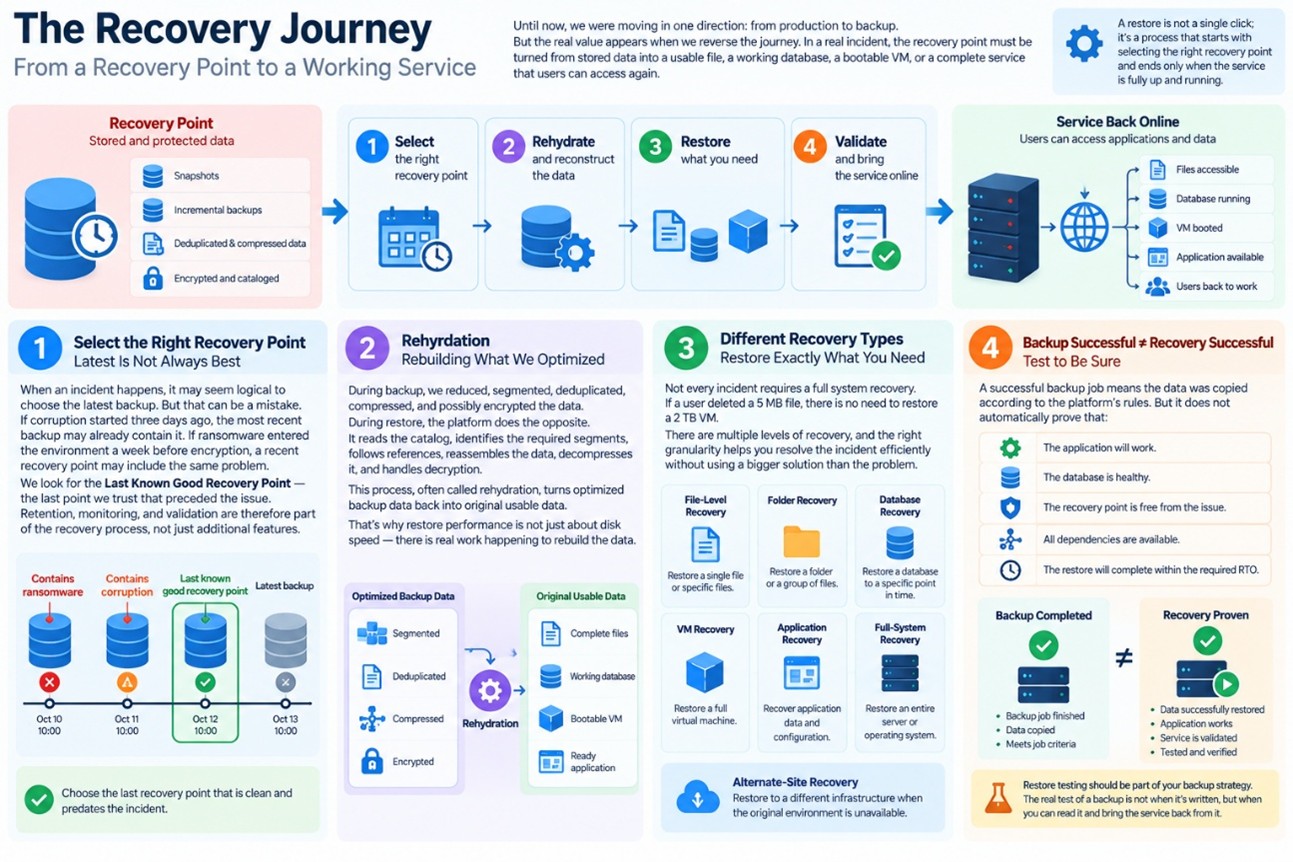
Restore is not a single click; it is a process that starts by selecting the right copy and ends only when the service itself is confirmed to be back online.
Selecting the Right Copy: Latest Is Not Always Best#
When an Incident occurs, it may seem logical to choose the latest Backup immediately.
But that can be a mistake. If Corruption started three days ago, the latest copy may already contain it.
And if Ransomware entered the environment a week before encryption began, a recent copy may restore the same problem.
This is why we look for the:
Last Known Good Recovery Point
This is the most recent point we trust to have existed before the problem began.
At this stage, Retention, Monitoring, and backup validation become part of Recovery rather than merely additional Features.
Rehydration: Rebuilding What We Optimized#
During Backup, we reduced the data, segmented it, removed duplication, compressed it, and may also have encrypted it.
During Restore, the process must be reversed. The platform reads the Catalog, identifies the required Segments, follows References, reconstructs the data, decompresses it, and handles Encryption.
This transforms:
Optimized Backup Data → Original Usable Data
In some environments, this process is called Rehydration.
This is why Restore speed does not depend only on Disk Speed; the platform performs real work to rebuild the data.
Recovery Does Not Always Mean Restoring the Entire System#
If a user deletes a 5 MB File, there is little reason to restore an entire 2 TB VM.
That is why Recovery can be performed at different levels.
You may need File-Level Recovery, Folder Recovery, VM Recovery, Database Recovery, Application Recovery, or Full-System Recovery.
You may also need Alternate-Site Recovery if the original environment is no longer available.
The better the Recovery Granularity, the more precisely the incident can be addressed without using a solution that is larger than the problem itself.
Backup Successful Does Not Mean Recovery Successful#
This is one of the most dangerous assumptions in the Backup world.
If a Job shows as successful, it means the backup operation completed according to the conditions the platform checks.
However, this does not automatically prove that:
The Application will work.
The Database is healthy.
The Recovery Point is free from the problem.
All Dependencies are available.
The Restore will complete within the required RTO.
There is a significant difference between:
Backup Completed
and:
Recovery Proven
For this reason, Restore Testing should be part of the protection strategy.
The real test of a backup does not happen when it is written.
It happens when you can read it, restore it, and bring the service back from it.
Where Does Backup as a Service Fit in This Journey?#
An organization can build all of the above in-house.
That means Backup Servers, Repositories, Networking, Licensing, Monitoring, Security, Retention, Capacity Planning, Offsite Copies, and Restore Testing.
But building the platform also means taking responsibility for operating it, maintaining it, expanding it, and securing it continuously
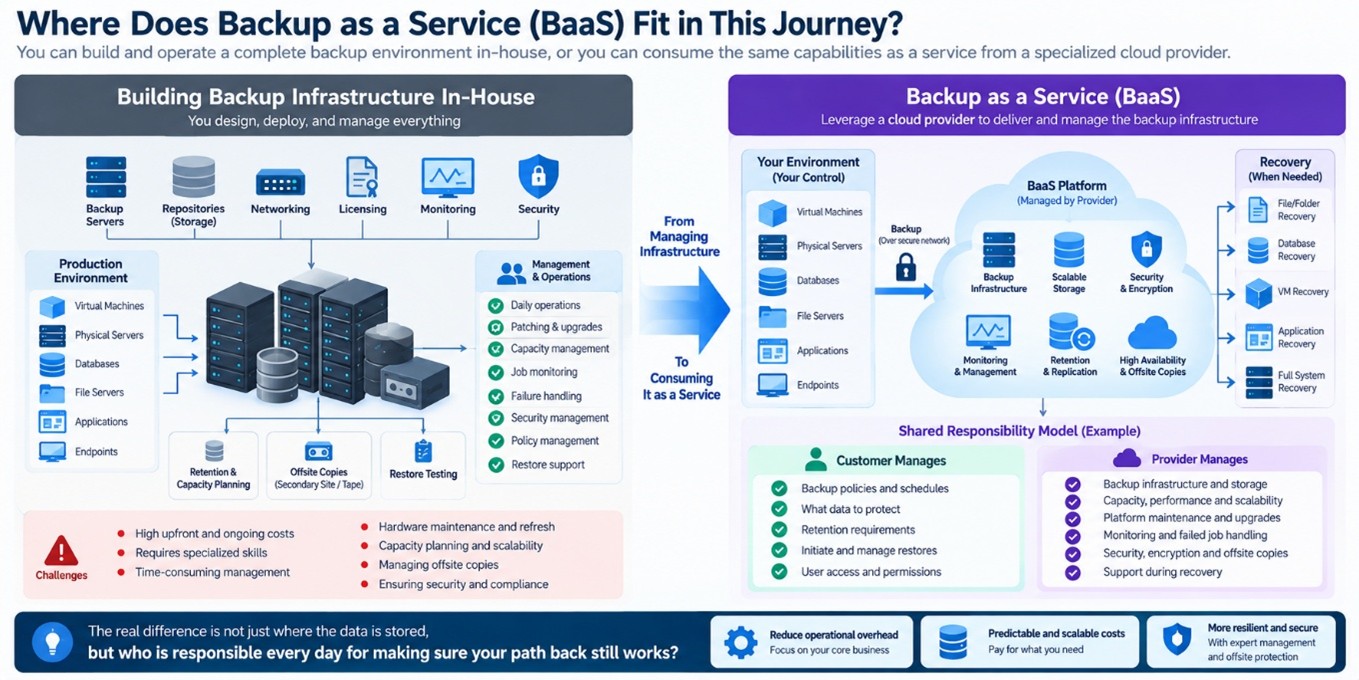
This is where the true idea of Backup as a Service appears.
As cloud service providers, we do not view BaaS as merely a place where data is sent.
The broader idea is to turn a large portion of the Backup Infrastructure Lifecycle into a Service.
In one model, the customer may manage Policies and Restore while the provider manages the Infrastructure. In a more managed model, the provider’s role can extend to Monitoring, Platform Maintenance, failed Job handling, and assistance during Recovery.
The real difference is not only:
Where is the data stored?
But rather:
Who is responsible every day for making sure the path back still works?
Conclusion: Backup Is Not the End of the Journey — It Is the Beginning of the Return#
On normal days, backups work quietly in the background: they copy data, consume Storage, and generate reports.
But on the day a critical service stops, Backup suddenly becomes one of the most important systems in the organization.
And on that day, the question will not be:
How many Jobs succeeded this month?
Instead, the questions become:
What is the latest healthy Recovery Point?
How much data will we lose?
How long will it take to return?
This is where the real value of Backup as a Service becomes clear.
It is not simply a process for moving data from a Server to a backup system.
It is a journey that transforms live, continuously changing Production data into trusted and protected Recovery Points that can be returned to operation when needed.
Rate this article
Be the first to rate this article
Comments & Discussion0
Related articles
Disaster Recovery Foundations: Architecting a Modern DRaaS Strategy 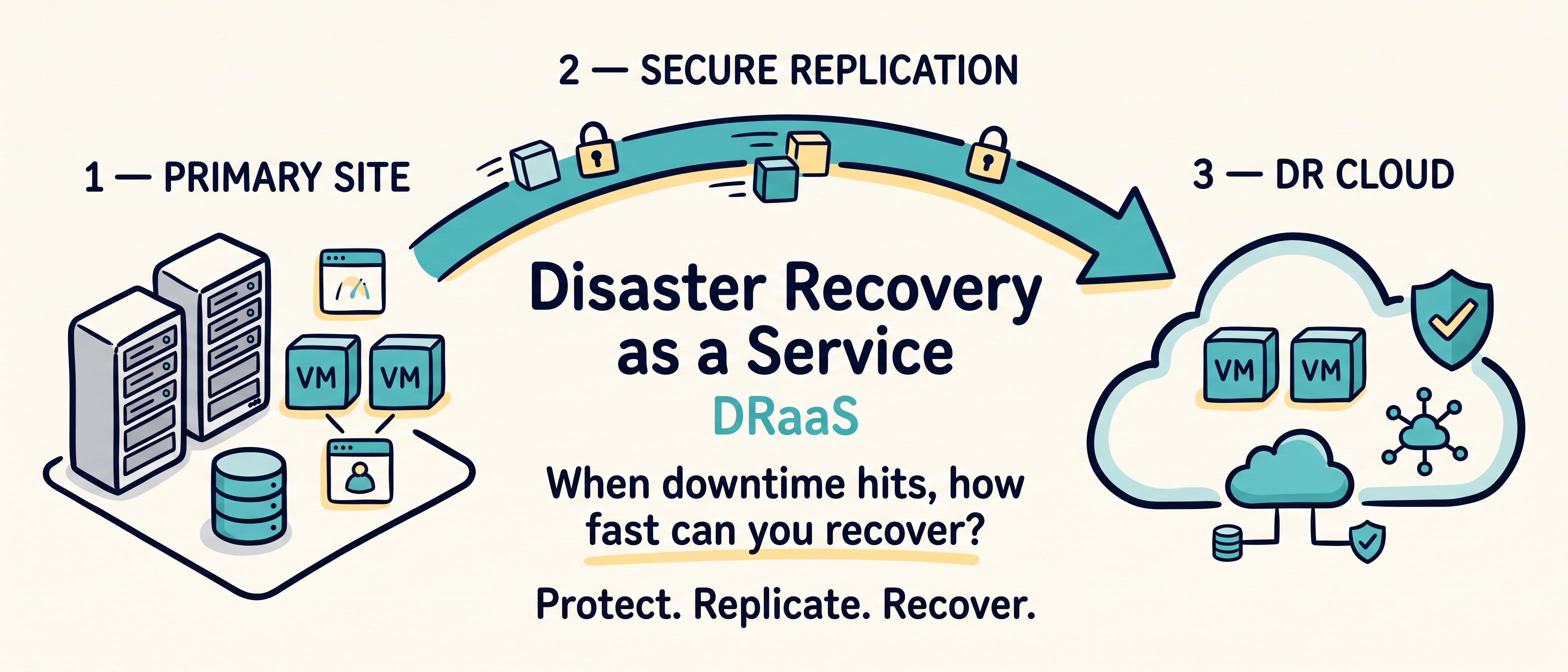 Backup & Replication
Disaster Recovery Foundations: Architecting a Modern DRaaS Strategy
This blog explains how to design a modern Disaster Recovery as a Service (DRaaS) strategy that goes beyond simple backups. It covers how to define RPO and RTO, choose the right replication model, select an appropriate recovery site, protect the DR environment, plan network recovery, build recovery runbooks, test without disrupting production, and prepare for failback. It also emphasizes that effective disaster recovery is a continuous process of planning, replication, testing, measurement, and improvement rather than just a one-time technology deployment.
Shehab Zuhra"An Infrastructure Engineer's Guide to Colocation: Balancing Engineering Needs and Migration Viability"  الحوسبة السحابية
"An Infrastructure Engineer's Guide to Colocation: Balancing Engineering Needs and Migration Viability"
A realistic engineering perspective on hosting server and network infrastructure in colocation data centers—covering power and cooling standards, network connectivity, uplinks, and field best practices for rack management and service continuity.
Emad Al-HadheriContainers-as-a-Service - CaaS 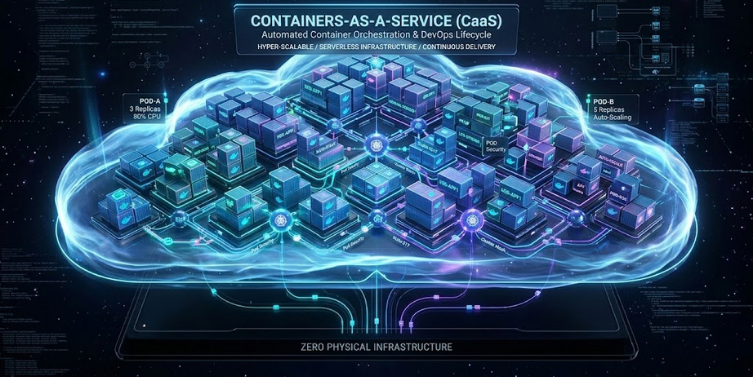 DevOps & Containers
Containers-as-a-Service - CaaS
Containers as a Service (CaaS) is an advanced cloud computing model. This technology enables developers and operations teams to deploy and manage containerized applications using popular build tools such as Docker. It also relies on advanced orchestration and automation engines such as Kubernetes to manage these containers and their clusters, and to scale them automatically as needed. Thus, the platform relieves organizations of the complexities of managing physical infrastructure, enabling them to focus entirely on software development efficiently and securely.
رضا المعمري